
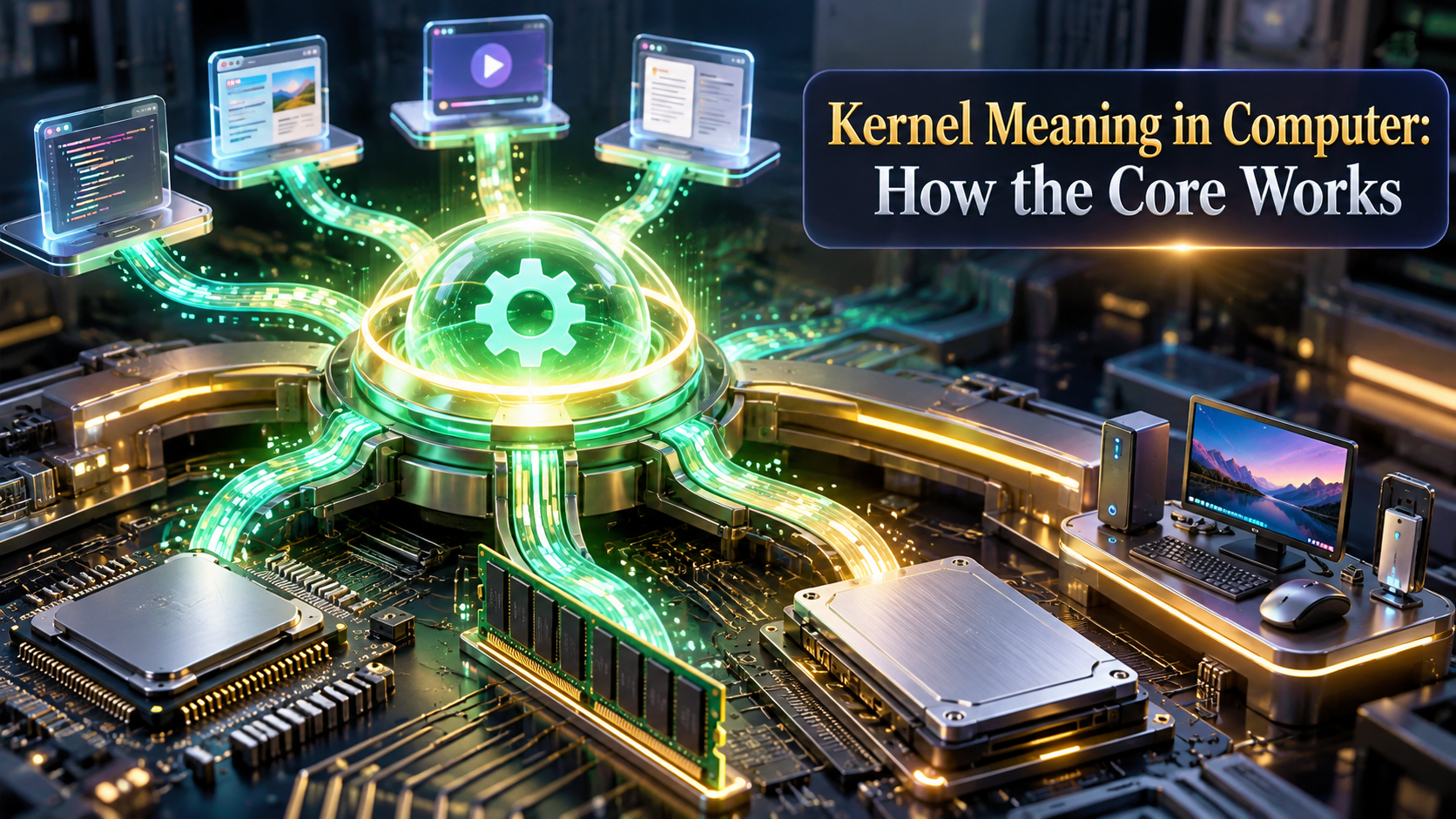
The kernel is the privileged core of an operating system that manages the computer’s CPU, memory, devices, and storage while connecting application software to hardware. It loads during boot, remains active in RAM during normal operation, and uses system calls to let programs request protected services without directly controlling hardware.
Key Facts at a Glance
- The kernel is a component of an operating system, not usually the entire operating system.
- Applications run in user mode, while the kernel runs in a higher-privilege mode protected by the CPU.
- System calls provide the controlled path from an application to services such as file access and networking.
- Kernel responsibilities include scheduling, virtual memory, device drivers, interrupts, security, and file-system access.
- Linux is a kernel; common Linux distributions combine that kernel with libraries, utilities, services, and applications.
- A kernel panic or Windows bug check usually indicates a serious kernel, driver, hardware, or low-level software fault.
What Does Kernel Mean in a Computer?
In computer science, a kernel is the central software layer that controls access to hardware and supplies fundamental services to programs. The kernel decides which process uses the CPU, assigns memory, handles device communication, responds to interrupts, and enforces boundaries between applications.
The kernel is not the same as the desktop, command shell, file manager, or complete operating system. Windows, macOS, Android, and Linux distributions contain many components above the kernel, including system libraries, background services, graphical interfaces, command-line tools, and applications. The kernel provides the protected foundation beneath those components.
Andrew S. Tanenbaum and Herbert Bos describe an operating system in Modern Operating Systems, 4th edition, as “the software that runs in kernel mode,” while ordinary programs run in user mode. The distinction is practical: a browser crash should normally affect one process, whereas an invalid kernel operation can halt the whole computer.
A useful analogy is an airport control system. Applications request takeoffs, landings, gates, and fuel, but they do not independently control the runway. The kernel validates requests, allocates scarce resources, and coordinates hardware access.
How Does a Kernel Handle a Program Request?
A kernel handles a protected operation through a system call, privilege transition, validation step, hardware interaction, and return to the application. Reading a file illustrates the process more accurately than the simplified idea that an application “talks directly” to a disk.
The System Call Lifecycle
- The application requests a service.
A text editor asks an operating-system library to open a document. The library prepares arguments such as a file path and access mode. - The library issues a system call.
The CPU receives a special instruction that transfers control from user mode to the kernel’s entry point. On Linux x86-64, common system calls use thesyscallinstruction. - The kernel validates the request.
The kernel checks the process identity, file permissions, address validity, resource limits, and requested operation. Invalid pointers or unauthorized paths can produce an error rather than hardware access. - The kernel selects a subsystem.
The virtual file system identifies the relevant file-system implementation, such as ext4, XFS, APFS, NTFS, or another format. - A driver communicates with hardware.
A storage driver translates the block request into commands for an NVMe device, SATA controller, or other storage interface. Direct memory access can move data between a device and RAM without requiring the CPU to copy every byte. - An interrupt reports completion.
Storage hardware signals that the operation finished. The kernel wakes the waiting process or continues another runnable task while the device works. - The kernel returns a result.
The kernel copies approved data into the application’s memory, returns a file descriptor result or error code, and restores user-mode execution.
The full operation may involve several context switches, cache effects, interrupts, and asynchronous queues. A context switch is therefore broader than simply “the CPU changes modes”; it can also involve saving registers, selecting another thread, and changing address-space context.
Why Do User Mode and Kernel Mode Exist?
User mode and kernel mode exist to contain faults and limit unauthorized access. User-mode programs cannot normally execute privileged CPU instructions, rewrite arbitrary physical memory, reprogram devices, or disable protection mechanisms, while kernel-mode code can perform those operations.
Modern processors implement privilege levels through mechanisms such as x86 rings and ARM exception levels. Operating systems typically use a restricted application level and a privileged kernel level, although the exact terminology differs by processor and operating system.
The separation does not make applications harmless. A browser vulnerability can still steal data available to that browser, and a vulnerable kernel driver can expose much broader control. Kernel-mode code is trusted with more authority, so a defective driver can corrupt unrelated processes or disable security controls.
Practitioner rule: treat every kernel driver as part of the trusted computing base. A small unsigned or poorly tested driver can create more systemic risk than a large user-space application because it operates below ordinary process isolation.
What Are the Kernel’s Main Responsibilities?
The kernel’s main responsibilities are process scheduling, memory management, device control, storage coordination, security enforcement, networking, and interrupt handling. These functions are connected because a running program needs CPU time, a protected address space, input and output services, and a way to respond to hardware events.
Process and Thread Management
The scheduler chooses which runnable thread receives CPU time. It accounts for priority, fairness, deadlines, processor affinity, and system responsiveness. A process owns resources such as an address space and file descriptors, while threads represent executable paths within that process.
On a multicore computer, the kernel can run threads concurrently on separate logical CPUs. Concurrency creates practical issues such as locks, race conditions, cache contention, and synchronization overhead. The kernel must also suspend processes, deliver signals or exceptions, and reclaim resources after termination.
Memory Management
The memory manager gives each process a virtual address space and maps virtual pages to physical RAM. Page tables and hardware translation mechanisms prevent an ordinary process from reading another process’s memory or kernel memory.
When physical RAM becomes scarce, an operating system may reclaim cache pages or move less-used pages to swap or a page file. Swapping is slower than RAM access because it relies on storage, but virtual memory remains valuable for isolation, memory mapping, shared libraries, copy-on-write processes, and memory-mapped files.
Device and Driver Management
A device driver translates generic kernel operations into device-specific commands. Keyboard input, graphics rendering, network packets, storage requests, and USB transfers all depend on drivers or driver frameworks.
Drivers may run in kernel mode for speed, access to interrupts, or direct memory operations. Some systems move selected drivers into user space to improve fault isolation. A user-space driver crash can usually terminate one service; a kernel driver crash can trigger a system-wide stop.
File Systems and Storage
The kernel coordinates file names, directories, permissions, caching, journaling, block allocation, and device queues. A virtual file system layer lets applications use a common interface even when storage formats differ.
File systems do not equal the kernel. NTFS, ext4, APFS, and ZFS are separate implementations integrated with a kernel’s storage framework. A damaged file system can prevent booting without proving that the kernel itself is defective.
Interrupts and Networking
Interrupts notify the kernel that hardware needs attention, such as when a network packet arrives or a storage request completes. The kernel also provides sockets, packet filtering, routing, congestion control, and network-device coordination.
Timing matters. Excessive interrupt load, inefficient drivers, or a poorly configured network device can consume CPU capacity even when applications appear idle.
Is Linux the Same as the Linux Kernel?
Linux is the name of an operating-system kernel, while a Linux distribution is a complete operating system built around that kernel. Ubuntu, Fedora, Debian, and Arch Linux package the Linux kernel with system libraries, utilities, package managers, services, and often a desktop environment.
The Linux kernel is monolithic in architecture but modular in implementation. Core services run in kernel space, while loadable kernel modules can add drivers, file systems, and other capabilities without placing every feature in one permanently compiled binary. “Monolithic” does not mean every line of code is always loaded or that the design cannot be modular.
The Linux kernel project is developed under the GPLv2, and its source code supports hardware ranging from embedded boards to supercomputers. A distribution chooses a kernel configuration, release schedule, patches, and supporting software. Two distributions can therefore use related kernels while differing substantially in security defaults and user experience.
Which Kernel Architecture Is Used?
Kernel architectures differ according to which operating-system services run in privileged kernel space and which run as isolated user-space servers. The major categories are monolithic, microkernel, hybrid, and exokernel designs, although real systems often combine architectural ideas.
| Architecture | Privileged components | Examples | Main trade-off |
|---|---|---|---|
| Monolithic | Scheduler, memory, drivers, file systems, networking | Linux, FreeBSD | Low overhead, broader crash impact |
| Microkernel | Minimal scheduling, memory, IPC, interrupt foundation | seL4, QNX Neutrino, MINIX 3 | Strong isolation, IPC complexity |
| Hybrid | Microkernel-inspired core plus selected kernel services | Windows NT, Apple XNU | Practical compatibility, large trusted base |
| Exokernel | Minimal protection and resource multiplexing | MIT Exokernel research | Flexible applications, limited mainstream adoption |
Monolithic Kernels
A monolithic kernel places many operating-system services in the privileged address space. Linux and the BSD kernels use this approach because direct in-kernel communication can reduce overhead and simplify high-performance paths.
Monolithic design does not automatically mean insecure. Linux supports permissions, namespaces, capabilities, mandatory access controls, module signing, and address-space protections. The central weakness is fault containment: a serious bug in privileged code can corrupt kernel state.
Microkernels
A microkernel keeps the privileged core small, commonly limiting it to scheduling, memory primitives, interrupt handling, and inter-process communication. Drivers and file systems can run as separate user-space services.
QNX is used in embedded and automotive environments where restartable services and predictable behavior matter. seL4 goes further with formal verification of important security properties for specific configurations. Microkernels do not guarantee perfect safety, because user-space services can still contain vulnerabilities and hardware assumptions can fail.
Hybrid Kernels
Hybrid kernels combine a small conceptual core with many services running in privileged space for compatibility or performance. Windows NT uses a hybrid architecture, while Apple’s XNU combines the Mach microkernel foundation with BSD and I/O components.
“Hybrid” is an architectural description, not a guarantee that a system has better performance or security. The actual result depends on driver quality, attack surface, update practices, memory protections, and workload.
Exokernels and Nanokernels
An exokernel exposes low-level hardware resources while leaving abstractions to applications or libraries. The approach can provide specialized performance, but it increases application complexity and has not become the normal desktop model.
Nanokernel is used inconsistently. Some systems use the term for an extremely small hardware abstraction layer, while others use it for a virtualization or timing layer. It is not a single standardized architecture comparable to the Linux or Windows kernel models.
How Do Kernel Architectures Compare?
Microkernels generally provide stronger service isolation, while monolithic kernels commonly offer simpler high-performance paths and broad hardware support. Hybrid systems occupy a practical middle position, but architecture alone cannot predict real-world reliability.
| Decision factor | Monolithic | Microkernel | Hybrid |
|---|---|---|---|
| Driver location | Mostly kernel space | Usually user space | Mixed, often kernel space |
| Driver crash impact | Potential system crash | Usually service restart | Depends on component |
| Communication path | Direct function calls | IPC message exchange | Direct and IPC paths |
| Typical use | Desktops, servers, phones | Automotive, secure embedded systems | Consumer desktops and servers |
| Hardware ecosystem | Very broad | Narrower and specialized | Very broad |
| Verification burden | Large privileged code base | Smaller core plus services | Large mixed code base |
Performance claims require care. A microkernel’s message passing can add overhead, but cache behavior, batching, hardware acceleration, scheduling policy, and driver design may matter more than the architecture label. A well-designed microkernel can meet strict deadlines, while a monolithic kernel can provide strong security controls.
Expert insight: the smallest kernel is not automatically the safest system. The trusted computing base also includes privileged drivers, firmware interfaces, boot components, and configuration. Reducing the kernel while leaving unsafe drivers privileged may produce little practical improvement.
Kernel Versus Operating System: What Is the Difference?
The kernel controls protected resources, while the operating system includes the kernel plus user-space services, libraries, tools, interfaces, and applications. The kernel is therefore essential to an operating system but is only one layer of the complete software environment.
| Component | Primary job | Example | Runs with maximum privilege? |
|---|---|---|---|
| Kernel | CPU, memory, devices, system calls | Linux, NT kernel | Yes |
| System library | Convenient program interface | glibc, Windows API, libc | Usually no |
| Shell | Command interpretation | Bash, PowerShell | No |
| Service | Background operating-system function | systemd, Windows Update | Usually no |
| Application | User task | Firefox, Word, Blender | No |
Firmware is also different. UEFI firmware initializes hardware and starts a bootloader, which loads the kernel. The kernel then initializes its own subsystems and starts the first user-space process. The shell and graphical desktop appear later.
Does Virtualization Replace the Kernel?
Virtualization does not replace the kernel; it adds a control layer that presents virtual CPUs, memory, and devices. A type 1 hypervisor can run directly on hardware, while a type 2 hypervisor runs through a host operating system and its kernel.
Virtual machines usually contain a guest kernel. A Windows virtual machine and a Linux virtual machine each run their own kernel, even when both share one physical computer. Containers differ because containers normally share the host kernel while isolating processes, file systems, network namespaces, and resource limits.
Docker containers therefore cannot run a fundamentally different kernel architecture from the host without a virtual machine or compatibility layer. Linux containers require a Linux-compatible host kernel, while Windows containers require Windows kernel facilities, subject to the container mode.
Why Does a Kernel Crash?
A kernel crashes when it cannot safely continue after detecting corrupted state, an invalid instruction, an unrecoverable hardware condition, or a fatal subsystem failure. Common triggers include defective drivers, failing RAM, storage corruption, firmware bugs, kernel defects, overheating, and incompatible low-level security software.
Windows displays a bug check commonly called the Blue Screen of Death. Linux reports a kernel panic, while macOS may restart or display a panic report. The message identifies a symptom or stop condition, not always the original cause.
A kernel crash differs from an application crash. An application can usually be terminated while the kernel continues operating; a kernel failure threatens scheduling, memory integrity, device state, or data consistency, so the system stops to limit further damage.
Counterintuitive truth: a crash that names a graphics driver does not prove the graphics driver caused the failure. Defective RAM, an overclock, a power problem, or memory corruption from another driver may only become visible when the graphics driver touches the damaged address.
How Should You Troubleshoot a Kernel Failure?
Troubleshoot a kernel failure by preserving the error evidence, reverting recent low-level changes, checking hardware, and updating through trusted sources. Do not repeatedly reinstall the entire operating system before examining crash dumps, stop codes, logs, and recent driver changes.
- Record the exact error.
Photograph the stop code, panic string, failing module, timestamp, and activity immediately before the crash. - Undo the newest change.
Remove a recently installed driver, kernel module, firmware update, overclock, antivirus filter, or hardware component if the timing matches. - Use a safe startup mode.
Windows Safe Mode and Linux recovery or rescue environments load fewer drivers and services, helping separate core boot failures from optional components. - Check hardware.
Run a memory test for several passes, inspect storage health with the vendor’s diagnostic utility, check temperatures, and restore conservative firmware settings. - Review diagnostic data.
Windows minidumps, Linuxjournalctloutput,dmesglogs, and macOS panic reports can identify recurring modules or hardware paths. - Install trusted updates.
Use Windows Update, the Linux distribution repository, Apple Software Update, or the hardware manufacturer’s official support channel. Avoid random driver-download sites. - Keep a recovery path.
Retain a known-good kernel in the bootloader, create a recovery drive, and back up important data before changing kernel packages or modules.
A single crash may be transient, but repeated crashes after a driver installation deserve immediate investigation. Kernel modifications without a rollback plan turn a recoverable configuration problem into a boot failure.
When Should You Change or Update a Kernel?
Most users should install supported kernel updates through the operating system’s normal update mechanism and should not manually replace kernel files. Kernel updates deliver security fixes, hardware support, scheduler changes, file-system fixes, and vulnerability mitigations, but they can also expose firmware or third-party driver incompatibilities.
Developers may build or configure a custom Linux kernel when they need a specific driver, real-time behavior, embedded target, debugging option, or reduced feature set. The work requires a recovery kernel, compatible modules, tested configuration, and a way to restore the previous boot entry.
Safety-critical systems use a different process. Automotive, medical, industrial, and aviation products often require traceability, long validation cycles, controlled updates, and evidence that changes preserve safety requirements. A newer kernel is not automatically acceptable until the complete product is retested.
Custom kernel development costs vary too widely for a universal figure. A learning kernel can be written by one person, while a production kernel-based platform may require years of engineering, hardware validation, security review, documentation, and maintenance. Linux’s source size also changes by release and configuration, so a single line-count comparison is not a meaningful measure of difficulty.
Frequently Asked Questions
Is the kernel stored permanently in RAM?
The active kernel is loaded into RAM during boot and remains resident while the computer runs, although some optional code can be loaded or unloaded. The original kernel image is stored on persistent storage, such as an SSD, and the bootloader copies it into memory during startup.
Is the kernel hardware or software?
The kernel is software, but it directly controls hardware through processor instructions, interrupts, memory-management units, and device drivers. Firmware is separate software stored on hardware devices or system memory, although the kernel may communicate with firmware during initialization and operation.
Can a computer run without an operating-system kernel?
A computer can execute firmware or a specialized bare-metal program without a general-purpose operating-system kernel. A desktop operating system, multitasking server, smartphone platform, or container host requires kernel-like resource management to isolate programs and coordinate hardware.
What happens if a kernel is deleted?
Deleting or corrupting the bootable kernel usually prevents the operating system from starting, producing a bootloader error, recovery screen, or kernel panic. Personal files may remain intact, but restoration requires reinstalling a matching kernel package or selecting a working kernel from the bootloader.
Is a kernel the same as a command prompt?
A kernel is the privileged resource manager beneath applications, while a command prompt or shell interprets commands and launches programs. Bash and PowerShell ask the kernel for services through system libraries and system calls, but neither one controls hardware directly.
The Bottom Line
The kernel meaning in computer systems is the privileged core that coordinates hardware and provides protected services to software. The kernel schedules CPU work, maps memory, controls drivers, manages storage and networking, and enforces the boundary between applications and the machine. Linux, Windows, macOS, Android, and embedded platforms use different kernel designs, but every practical choice balances performance, isolation, hardware support, maintainability, and failure recovery.