
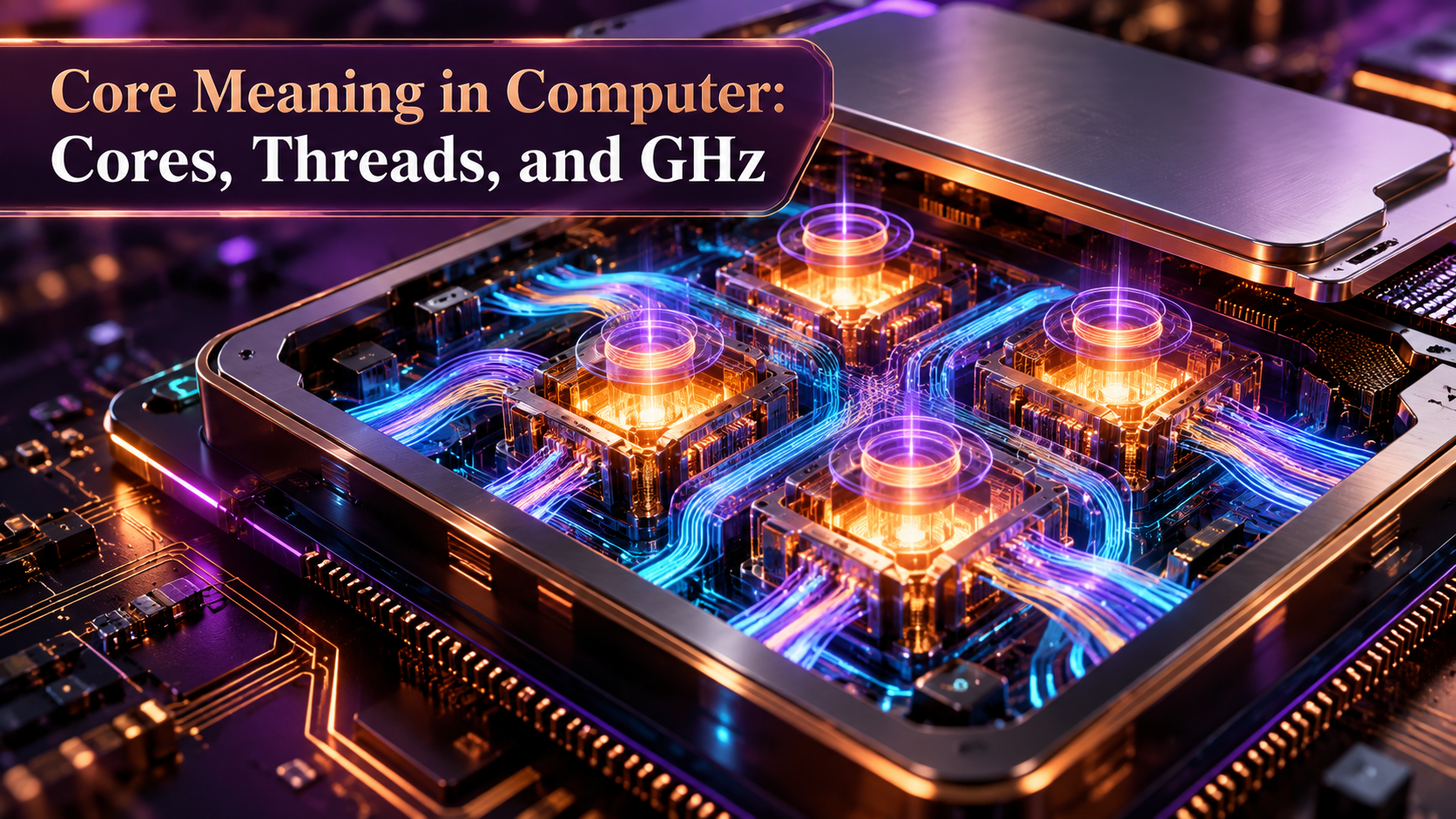
A computer core is an independent physical processing unit inside a central processing unit (CPU) that reads, interprets, and executes program instructions. A multi-core CPU contains two or more physical cores on one processor package, allowing the operating system to schedule multiple instruction streams at the same time, although actual speed depends on software, clock frequency, architecture, memory, and cooling.
Key facts at a glance
A CPU core is a physical execution unit, while a thread is a scheduled sequence of instructions.
The instruction cycle consists of fetching, decoding, executing, and retiring or storing results.
A processor with 8 cores and 16 threads has 8 physical cores, not 16 physical cores.
More cores improve parallel workloads, but they do not automatically accelerate single-threaded software.
L1 and L2 cache are usually local to a core; L3 cache is commonly shared by several or all cores.
Current desktop processors may combine Performance cores and Efficiency cores with different power and speed characteristics.
What Is the Core Meaning in Computer Hardware?
The core meaning in computer hardware is a physical processing engine that executes instructions for software. A core contains components such as an instruction decoder, arithmetic logic unit, registers, schedulers, and execution ports, so a modern CPU core is far more than a generic “mini-CPU.”
The CPU package is the physical component installed in a motherboard socket. Inside that package may be one or more silicon dies, and those dies may contain several cores, cache, memory controllers, and other logic. The operating system treats each physical core as a processing resource and assigns software threads to it.
The common “brain” analogy is useful for beginners, but it has limits. A CPU is not one thinking object with independent minds; it is a coordinated collection of execution resources that follow machine instructions according to a program counter, registers, memory accesses, and control logic.
CPU, core, thread, and socket compared
| Term | Physical status | Main function | Example |
|---|---|---|---|
| CPU package | Installed hardware | Contains cores, cache, and controllers | AMD Ryzen 7 9700X |
| CPU core | Physical execution unit | Executes machine instructions | 8 physical cores |
| Hardware thread | Logical scheduling context | Holds a second instruction stream | 16 threads from 8 cores |
| CPU socket | Motherboard connection | Supplies power and data paths | AM5 or LGA1851 |
A processor can contain many cores but still perform poorly in an application that uses only one execution stream. Conversely, a lower-core processor with stronger architecture and higher instructions per cycle (IPC) can outperform an older processor with more cores.
How Does a CPU Core Process Instructions?
A CPU core processes instructions through a repeating instruction cycle: fetch, decode, execute, and retire. The core obtains an instruction from cache or memory, determines what operation it represents, performs the operation using an execution unit, and commits the result in the correct program order.
1. Fetch the next instruction
The core uses the program counter to identify the next instruction address. It first checks instruction cache, usually the L1 instruction cache, before requesting data from larger and slower cache levels or system RAM.
Modern cores predict branches such as conditional statements and loops. Accurate branch prediction keeps execution units busy; a wrong prediction forces the core to discard speculative work and fetch the correct path.
2. Decode the instruction
The instruction decoder translates the machine-code operation into internal control signals or micro-operations. The decoder identifies the operation, source registers, destination registers, memory requirements, and dependencies on earlier instructions.
Complex instructions may become several micro-operations. The CPU can then schedule those operations across integer, floating-point, vector, load, and store execution units.
3. Execute the operation
Execution units perform the requested work. An arithmetic logic unit handles integer addition, subtraction, comparisons, and bitwise operations, while floating-point and vector units process numerical calculations used by media, scientific, and artificial-intelligence workloads.
A core can execute multiple micro-operations during one clock cycle when the operations use separate available resources. This is why clock frequency alone does not fully describe CPU performance.
4. Retire and write the result
After execution, the core retires completed operations in program order. Results may be written to registers, placed into cache, or sent to memory, depending on the instruction.
“Store” is therefore an oversimplification. Many instructions do not write directly to RAM because keeping frequently used data in registers or cache is much faster and reduces memory traffic.
What Are the Main Types of CPU Cores?
The main core categories are homogeneous cores, Performance and Efficiency cores, and cores capable of simultaneous multithreading. These categories describe physical design and scheduling behavior, not a universal ranking from best to worst.
Homogeneous cores
A homogeneous processor uses cores with broadly the same architecture and capability. AMD Ryzen desktop processors are a familiar example of this design approach, although cache allocation, boost behavior, and chiplet placement can still differ across models.
Homogeneous layouts simplify operating-system scheduling because a thread can usually move between cores with similar performance. They work well for gaming, productivity, compiling, rendering, and other mixed workloads.
Performance cores and Efficiency cores
Hybrid processors combine larger Performance cores, commonly called P-Cores, with smaller Efficiency cores, called E-Cores. Intel Core Ultra desktop and mobile processors use this approach, while other vendors use related heterogeneous designs.
P-Cores generally provide higher single-thread performance and support demanding foreground work. E-Cores consume less power and handle background services, parallel workloads, and tasks that do not require maximum per-thread speed.
E-Cores are not merely inactive backup units. A large group of E-Cores can process many parallel tasks efficiently, but a heavily latency-sensitive game or interactive design tool may benefit more from the stronger P-Core architecture.
Operating-system support matters. Windows 11 and Intel Thread Director can use hardware telemetry to help place workloads on suitable core types, but scheduling decisions still depend on application behavior, firmware, drivers, and background activity.
Physical cores and virtual threads
A physical core is silicon. A hardware thread is a logical execution context exposed by technologies such as Intel Hyper-Threading and AMD Simultaneous Multithreading (SMT).
Two threads on one core share major resources, including execution units, cache capacity, and front-end bandwidth. The second thread can improve utilization when the first thread is waiting for data, but it does not deliver the performance of a second independent core.
| Configuration | Physical cores | Hardware threads | Typical interpretation |
|---|---|---|---|
| Basic quad-core CPU | 4 | 4 | Four independent execution units |
| Mainstream desktop CPU | 6 | 12 | Six cores using SMT or Hyper-Threading |
| Eight-core gaming CPU | 8 | 8 or 16 | Eight physical cores with one or two threads each |
| Hybrid mobile CPU | 10 | 12 | Mixed P-Cores and E-Cores with vendor-specific threading |
| Workstation processor | 16 | 32 | Sixteen cores for strongly parallel workloads |
Does a Higher Core Count Make a Computer Faster?
A higher core count makes a computer faster when the workload can divide its work across multiple threads. Web browsing, document editing, and many older applications often gain more from fast individual cores, while rendering, code compilation, compression, and virtual machines can use many cores simultaneously.
A useful model comes from Amdahl’s law: the part of a program that remains serial limits the maximum benefit of parallel hardware. If 10 percent of a task is serial, even unlimited parallel cores cannot produce a tenfold speedup because that serial portion still must run in sequence.
Background activity also affects responsiveness. A processor with six fast cores may feel smoother than a four-core processor when a browser, antivirus scan, video call, and office application run concurrently, even if no single application uses all six cores.
Core count, clock speed, and IPC
Clock speed describes cycles per second. A 4.5 GHz clock produces 4.5 billion cycles per second, but the number of useful instructions completed per cycle depends on architecture, instruction mix, cache behavior, branch prediction, and execution width.
Instructions per cycle, or IPC, explains why a newer 4-core processor can outperform an older 8-core processor in a lightly threaded program. Boost clocks are also temporary or workload-dependent; sustained all-core clocks may fall when power or temperature limits are reached.
| Performance factor | What it measures | Most important when | Common limitation |
|---|---|---|---|
| Core count | Number of physical execution units | Rendering and parallel compilation | Does little for serial code |
| Thread count | Logical instruction contexts | Mixed multitasking | Shared core resources reduce scaling |
| Clock frequency | Cycles per second | Similar architectures and workloads | GHz does not equal completed work |
| IPC | Work completed per cycle | Gaming and single-thread applications | Varies by instruction and software |
| Cache | Fast local data storage | Repeated data access and gaming | Limited capacity and shared contention |
| Power limit | Sustained electrical budget | Long renders and stress tests | Higher limits increase heat |
What Is CPU Cache and Why Does It Matter?
CPU cache is high-speed memory located on or near the processor die that stores recently used instructions and data. Cache reduces the time a core waits for information because accessing system RAM is substantially slower than accessing L1 or L2 cache.
L1 cache is the smallest and fastest level and is commonly divided into instruction and data sections. L2 cache is larger and slower, while L3 cache is larger again and is often shared across a group of cores or the entire processor.
Cache capacity is not a simple replacement for core count. A processor with large shared L3 cache may improve game performance by keeping frequently reused data close to the cores, but a cache-heavy design cannot compensate for insufficient cooling, weak single-thread architecture, or software that does not parallelize.
| Cache level | Typical location | Typical capacity per core or chip | Relative behavior |
|---|---|---|---|
| L1 instruction cache | Inside each core | 32-64 KB | Fastest instruction access |
| L1 data cache | Inside each core | 32-64 KB | Fastest ordinary data access |
| L2 cache | Usually private to a core | 512 KB-2 MB per core | Larger, slightly slower |
| L3 cache | Shared by several cores | 16-128 MB per chip | Helps shared and repeated data |
| System RAM | Outside the CPU package | 8-128 GB | Much larger, much slower |
How Many CPU Cores Do Different Users Need?
Most office users need 4-6 capable cores, mainstream gamers generally benefit from 6-8 fast cores, and professional creators often gain from 12-24 or more cores. The correct choice depends on the applications, resolution, export duration, multitasking pattern, and upgrade period.
A user who writes documents, joins video meetings, and keeps 20 browser tabs open does not need the same processor as someone who renders Blender scenes or runs several virtual machines. Laptop processors also require greater attention to sustained power and cooling because a high advertised core count may not maintain desktop-level clocks.
| Workload | Practical target | More cores help when | More cores help less when |
|---|---|---|---|
| Office, email, and web | 4-6 cores | Several applications stay open | The system uses slow storage or little RAM |
| 1080p gaming | 6-8 fast cores | Streaming and gaming run together | The game is limited by the GPU |
| 1440p or 4K gaming | 6-8 fast cores | Background encoding runs simultaneously | The graphics card is fully saturated |
| Video editing | 8-16 cores | Effects and exports are multithreaded | The editor waits on media storage |
| 3D rendering | 12-32 cores | CPU rendering scales across threads | The scene depends on one simulation thread |
| Software development | 8-16 cores | Large projects compile in parallel | The build system has serial stages |
| Virtual machines | 12-24 cores | Several guests run concurrently | Memory capacity is insufficient |
How Much Do Multi-Core Processors Cost?
Typical new desktop CPU prices range from about $80-$150 for entry-level chips, $180-$350 for mainstream models, and $400-$650 or more for high-end consumer processors. Retail pricing changes by country, sales period, motherboard platform, and whether a cooler is included.
The processor price is not the complete platform cost. A new CPU may require a motherboard, DDR5 memory, a stronger cooler, and a power supply, so a $250 processor upgrade can create a $500-$800 system expense.
| Market tier | Typical cores and threads | Typical price range | Common use |
|---|---|---|---|
| Entry desktop | 4-6 cores, 8-12 threads | $80-$150 | Office and basic gaming |
| Mainstream desktop | 6-8 cores, 12-16 threads | $180-$350 | Gaming and general productivity |
| High-end consumer | 12-16 cores, 24-32 threads | $400-$650 | Rendering and heavy multitasking |
| Workstation | 24-64 cores, 48-128 threads | $900-$4,000+ | Professional rendering and simulation |
These are typical retail ranges, not fixed prices. A previous-generation processor can offer strong value, but compare platform support, memory cost, power draw, and upgrade options rather than selecting by core count alone.
CPU Core Versus GPU Core: What Is the Difference?
A CPU core is a flexible, latency-focused processor designed for branching operating-system and application instructions. A GPU core is a smaller, more numerous arithmetic unit designed to perform many similar operations in parallel, especially graphics, matrix, and vector workloads.
The two terms are not interchangeable. A graphics processor may advertise thousands of shader cores, but those units do not perform the same broad control tasks as a small number of CPU cores.
| Attribute | CPU core | GPU core or shader unit |
|---|---|---|
| Primary design | General-purpose control and computation | Massive parallel arithmetic |
| Typical quantity | 4-96 cores | Hundreds to tens of thousands of units |
| Strength | Branching and low-latency tasks | Identical operations on large datasets |
| Common workloads | Operating systems, games, applications | Rendering, AI tensors, image processing |
| Memory pattern | Large caches and low latency | High bandwidth and throughput |
A CPU cannot replace a discrete GPU for demanding real-time rendering, and a GPU cannot efficiently run every operating-system task. Modern applications often divide work between both processors.
Why Do CPU Cores Overheat or Slow Down?
CPU cores slow down when the processor reaches thermal, electrical, or firmware limits. The CPU reduces voltage and clock frequency through thermal throttling to protect the silicon, so a high-core processor may finish a short benchmark quickly but run at a lower sustained speed during a long render.
Typical desktop idle temperatures vary by cooler, room temperature, fan curve, and background load. Sustained temperatures around 85-95°C under heavy workloads can be normal for some modern processors, but a sudden frequency drop, repeated thermal limit warnings, or shutdowns indicate a cooling problem.
Check temperatures with HWiNFO, HWMonitor, Core Temp, or the processor vendor’s utility. Inspect cooler mounting, fan operation, dust buildup, thermal-paste application, case airflow, and BIOS power settings before replacing the CPU.
An overlooked issue is power delivery. A processor can remain below its thermal ceiling yet reduce frequency because the motherboard or firmware enforces a package-power limit.
Why Does Windows Show Fewer Cores?
Windows may show fewer cores because of disabled BIOS settings, processor affinity, virtualization configuration, firmware bugs, or a boot setting that limits available processors. Windows Task Manager distinguishes logical processors from physical cores, so users must check both values before diagnosing a missing-core problem.
Use Task Manager, select Performance, choose CPU, and compare the displayed Cores and Logical processors. In PowerShell, the commands Get-CimInstance Win32_Processor and Get-CimInstance Win32_ComputerSystem can provide additional topology information.
Troubleshooting sequence:
- Enter UEFI or BIOS and confirm that active-core settings allow all cores.
- Check whether SMT or Hyper-Threading is enabled.
- Open
msconfig, select Boot, choose Advanced options, and ensure Number of processors is unchecked. - Update motherboard firmware and chipset drivers.
- Verify the CPU model and operating-system edition.
- Remove third-party CPU-affinity tools before retesting.
Do not enable the msconfig processor-number box to “unlock” cores. That setting limits startup processors rather than increasing performance.
How Long Does a CPU Core Last?
A CPU core can remain physically functional for well over 6 years, and many processors operate reliably for 8-12 years when kept within their voltage and temperature specifications. Practical replacement usually occurs because performance, software support, platform features, or energy efficiency becomes inadequate, not because individual cores expire on a fixed schedule.
The often-repeated four-to-six-year lifespan is a buying guideline, not a physical expiration date. A six-year-old office computer may remain adequate, while a professional workstation may become unproductive after three years because render times and memory capacity impose business costs.
Replace a processor when one of four conditions is met:
- The target application misses required performance levels.
- The motherboard cannot support needed memory, storage, or connectivity.
- Security or operating-system support ends.
- A newer platform reduces electricity and cooling costs enough to justify the upgrade.
Common Mistakes When Comparing CPU Cores
Mistake 1: Treating threads as physical cores
A 6-core, 12-thread CPU does not equal a 12-core CPU. Threads improve utilization, but shared execution resources prevent the second thread from matching a separate physical core.
Mistake 2: Comparing GHz across generations
A 5.0 GHz processor is not automatically faster than a 4.5 GHz processor. Architecture, IPC, cache, instruction mix, and sustained power determine completed work.
Mistake 3: Buying cores for software that cannot use them
A video encoder or renderer may scale well, but a legacy accounting program or simulation step may use one or two threads. Check application benchmarks that match the actual workload.
Mistake 4: Ignoring cooling and power
A high-core processor with an undersized cooler may throttle during long workloads. Short benchmark results can hide this limitation.
Mistake 5: Ignoring memory capacity
More cores increase the amount of work that can run concurrently, which can expose insufficient RAM. A 16-core workstation with 16 GB of memory may perform worse in virtual machines than an 8-core system with 64 GB.
FAQ About CPU Cores
Is a core the same as a processor?
No. A processor usually refers to the complete CPU package, while a core is one physical execution unit inside that package. A modern processor can contain 4, 8, 16, or more cores, plus cache, memory controllers, and other support logic.
What is a single-core computer?
A single-core computer has one physical CPU core available for general processing. It can run multiple programs through time-sharing, but only one instruction stream can execute at a moment unless the system includes another processor or specialized accelerator.
Can a computer run without a CPU core?
A general-purpose computer cannot run its operating system without at least one functioning processing core. A GPU or microcontroller may perform specialized tasks, but ordinary desktop software requires a CPU execution core to interpret and coordinate instructions.
Why does a game use only one CPU core?
A game may use one core heavily because its main simulation, input, or rendering submission thread is difficult to parallelize. Other threads may handle audio, asset streaming, networking, or physics, but the main thread can still limit frame rate.
Should a laptop have more cores than a desktop?
A laptop does not automatically need more cores than a desktop. Laptop processors prioritize battery life and thermal limits, so six efficient laptop cores can be more suitable than a high-power desktop chip with many cores when portability and sustained battery runtime matter.
Can adding RAM increase the number of CPU cores?
No. RAM capacity and CPU core count are separate hardware attributes. Adding memory can reduce swapping and improve multitasking, but it cannot create physical or logical CPU cores.
The Bottom Line
The core meaning in computer hardware is a physical CPU execution unit that fetches, decodes, executes, and retires instructions. Core count matters most for parallel workloads, while architecture, IPC, clock behavior, cache, memory, software design, and cooling determine practical performance. Choose the processor by workload and sustained performance, not by the largest core or thread number on the specification sheet.